Reversing a Transaction
Reversing a transaction is the correct accounting procedure for correcting an error in a previous period. Instead of deleting the original transaction, a new transaction is created with the debits and credits swapped, effectively canceling out the original entry.
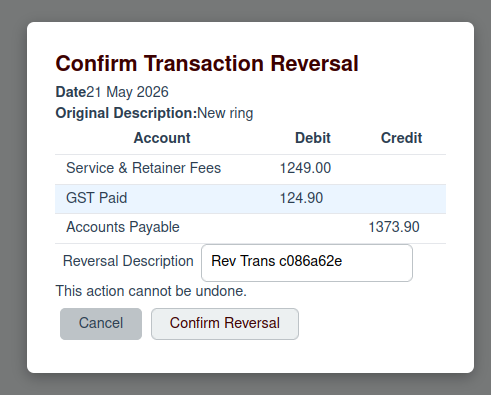
To reverse a transaction, click the Reverse button (the undo icon) on the Account Ledger page. This will open a confirmation modal.
Confirmation
In the confirmation modal, you will see the details of the original transaction. You must provide a description for the reversal, explaining why the transaction is being reversed.
Once you have entered a description, click the Confirm Reversal button. A new transaction will be created on the same date as the original, with the debits and credits reversed.