General Ledger Report
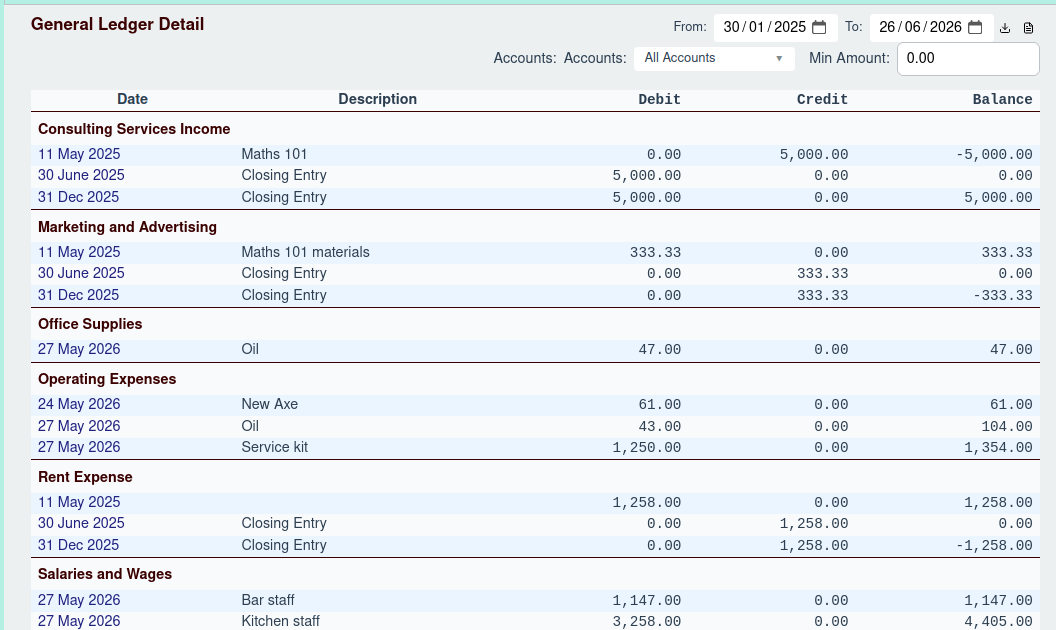
The General Ledger Detail report provides a comprehensive listing of all transactions posted to your accounts over a specific period. It is one of the most detailed reports and serves as a complete record of all financial activity.
Generating the Report
To generate the report, you can use the Report Options header to filter the data:
- Date Range: Select a start and end date to view all transactions within that period.
- Advanced Filters: You can further refine the report by:
- Accounts: Select specific accounts to include in the report.
- Min Amount: Set a minimum transaction amount to exclude smaller transactions.
Report Structure
The report is grouped by account. For each account, it lists all the individual journal entries that occurred within the selected period. The columns are:
- Date: The date of the transaction. You can click on the date to navigate to that account's ledger view.
- Description: The description of the transaction.
- Debit: The debit amount of the entry.
- Credit: The credit amount of the entry.
- Balance: The running balance of the account.