Deleting a Transaction
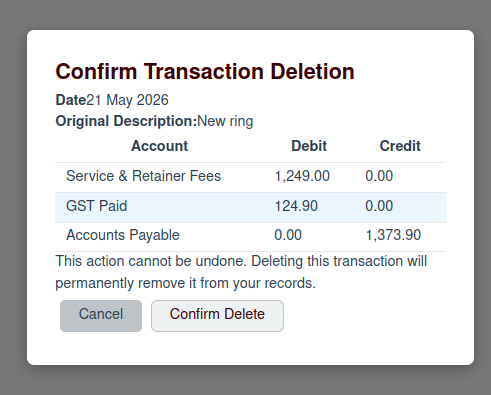
In some cases, you may need to delete a transaction entirely. To do this, click the Delete button (the trash can icon) on the Account Ledger page. This will open a confirmation modal.
Conditions for Deleting
You can only delete a transaction if the following conditions are met:
- The transaction occurred within the current, open accounting period.
- Strict Audit Mode is turned off in the organization's settings.
If these conditions are not met, the "Delete" button will be disabled. This is a critical safety feature to prevent unauthorized or accidental changes to your financial records.
Confirmation
If the conditions for deletion are met, you will be asked to confirm the deletion. To proceed, click the Confirm Deletion button. The transaction will be permanently removed from your ledger.