Aged Payables Report
The Aged Payables report provides a snapshot of your outstanding vendor invoices, grouped by how long they have been outstanding. This report is an essential tool for managing cash flow and prioritizing payments.
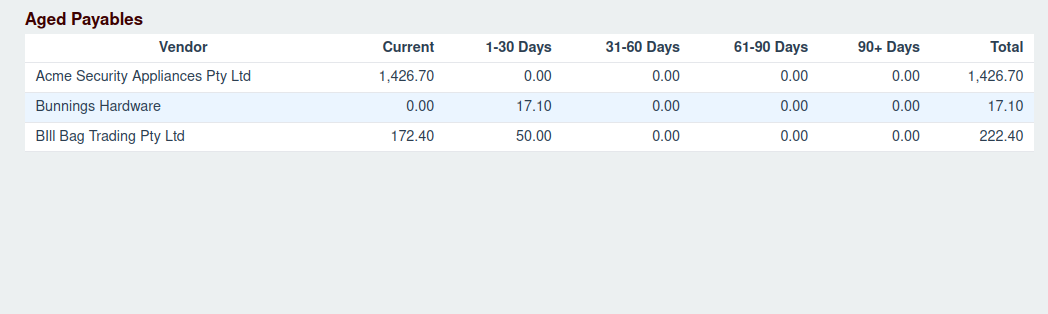
Report Columns
The report has the following columns:
- Vendor: The name of the vendor.
- Current: The total amount of invoices that are not yet due.
- 1-30 Days: The total amount of invoices that are 1 to 30 days overdue.
- 31-60 Days: The total amount of invoices that are 31 to 60 days overdue.
- 61-90 Days: The total amount of invoices that are 61 to 90 days overdue.
- 90+ Days: The total amount of invoices that are more than 90 days overdue.
- Total: The total amount outstanding for each vendor.
Viewing Individual Invoices
You can view the individual invoices that make up the total for each vendor by clicking on the vendor's row. This will expand the row to show a list of all outstanding invoices for that vendor, including their invoice number, issue date, due date, and the amount remaining.