New Transaction
The "New Transaction" screen allows you to create a new journal entry. You can access this page by clicking the Add New Transaction button on the Account Ledger page or from other parts of the application.
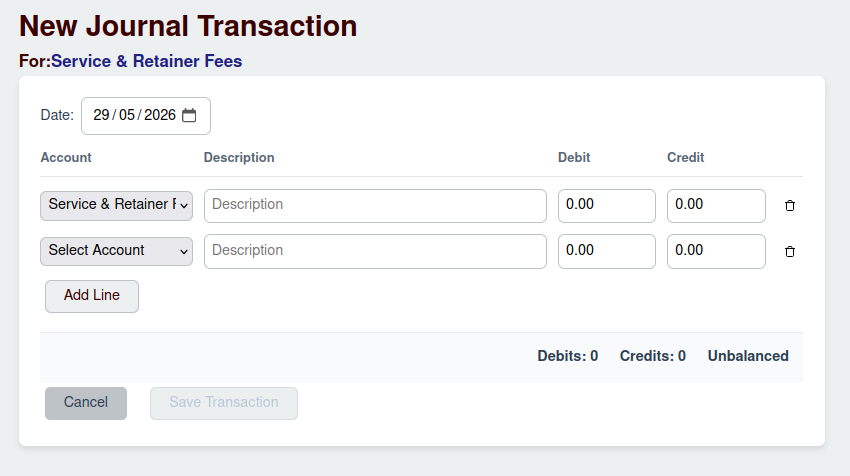
Transaction Fields
A journal transaction consists of several key pieces of information:
- For: A brief, overall description of the transaction's purpose.
- Date: The date the transaction occurred. This defaults to today's date but can be changed.
Transaction Lines
Every transaction must have at least two lines and the total debits must equal the total credits for the transaction to be considered Balanced.
For each line, you will need to provide:
- Account: Select the appropriate account from the dropdown list.
- Description: A specific description for this line item.
- Debit: The amount to be debited from the account.
- Credit: The amount to be credited to the account.
You can add more lines by clicking the Add Line button.
Saving the Transaction
Once your transaction is balanced, you can click the Save Transaction button to record it in the ledger. If the debits and credits do not match, the transaction will be marked as Unbalanced, and you will not be able to save it.