Units of Measure
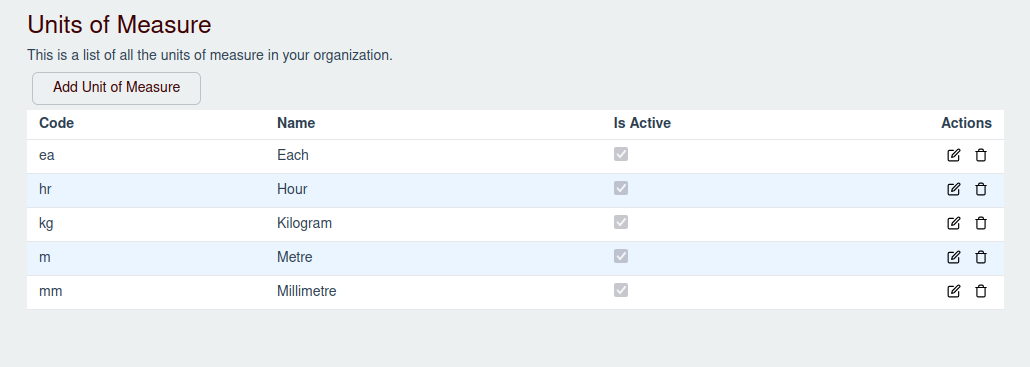
Units of Measure (UoMs) define the quantities used to measure your catalog items (e.g., "Each" for individual products, "Hours" for services, or "Kilograms" for physical weight).
Adding a Unit of Measure
- Navigate to Sales -> Units of Measure in the sidebar.
- Click the Add Unit of Measure button.
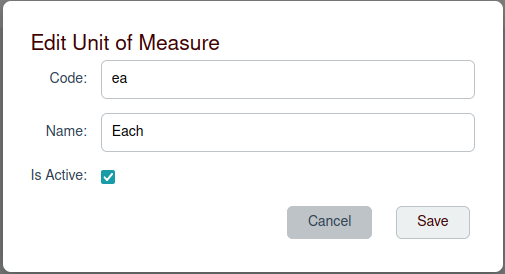
- In the modal that appears:
- Code: Enter a unique abbreviation (e.g.,
ea,hr,kg). - Name: Enter the full descriptive name (e.g.,
Each,Hour,Kilogram). - Is Active: Check this box to make the UoM available when configuring catalog items.
- Code: Enter a unique abbreviation (e.g.,
- Click Save to create the Unit of Measure.
Editing or Deleting a Unit of Measure
- Edit: Click the Edit (Pencil Icon) on any row in the UoMs table to modify its Code, Name, or toggle its Active status.
- Delete: Click the Delete (Trash Icon) on any row to delete the UoM. Note that you can only delete Units of Measure that are not currently referenced by any catalog items.