Partner List
The Partner List is where you manage all of your customers and vendors. A partner can be a customer, a vendor, or both.
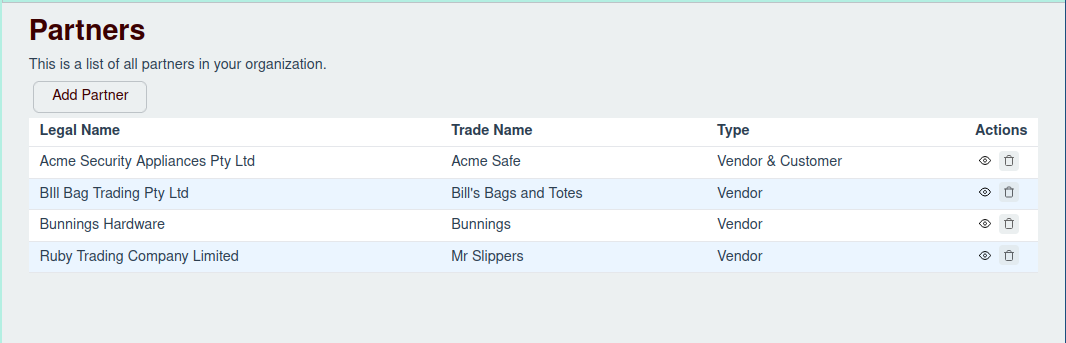
The Partner Table
The main table on this page displays all your partners with the following columns:
- Legal Name: The official, legal name of the partner.
- Trade Name: The name the partner does business as, if different from their legal name.
- Type: Indicates whether the partner is a "Customer," "Vendor," or "Vendor & Customer."
- Actions: A set of controls for managing the partner.
Managing Partners
You can manage your partners directly from this screen.
Adding a New Partner
To create a new partner, click the Add Partner button located at the top of the page.
- For detailed instructions, see the Add New Partner page.
Editing a Partner
To modify a partner's details, addresses, or contacts, click the Edit button in the "Actions" column for that partner row. This will open the Partner Drawer.
- For detailed instructions, see the Edit Partner page.
Deleting a Partner
To remove a partner, click the Delete button in the "Actions" column. Please note that you can only delete partners that have no transactions associated with them. If a partner has a history, the delete button will be disabled.
- For more information, see the Delete Partner page.